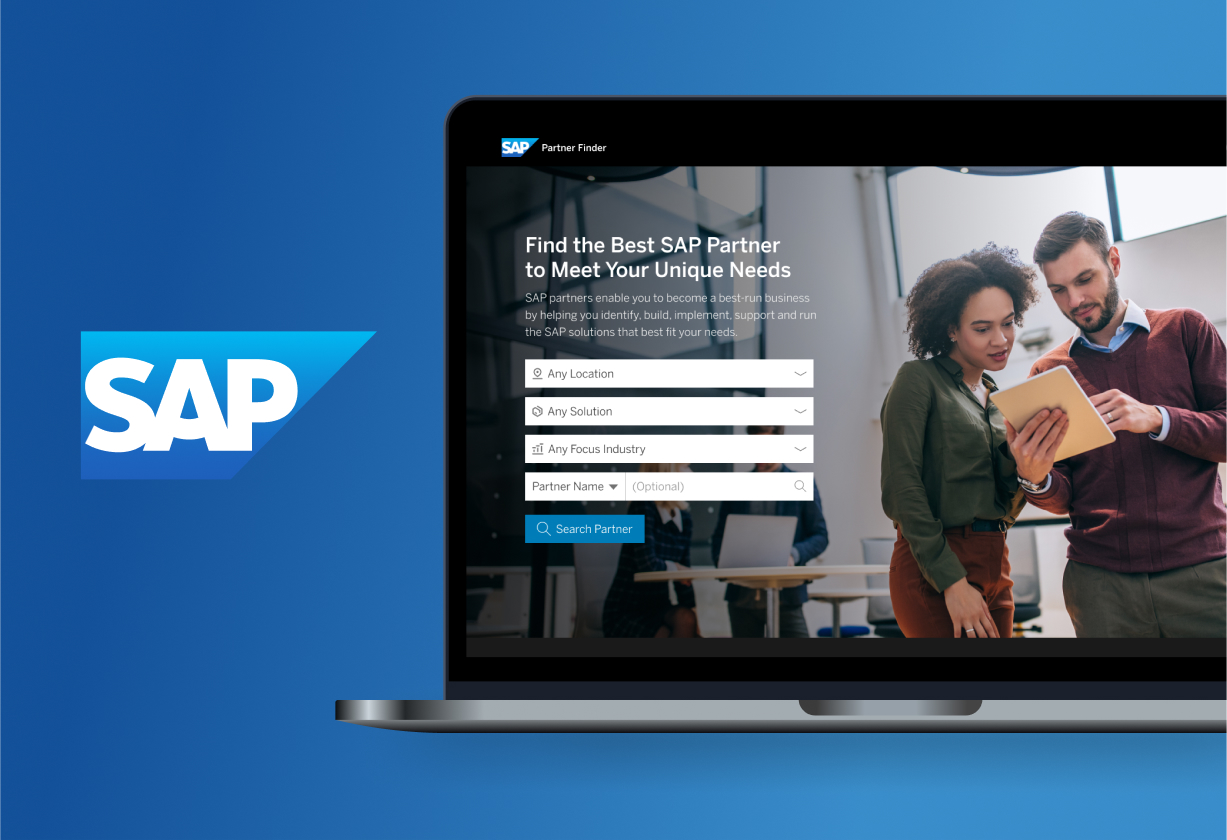
SAP partners are companies that resell or help customers implement SAP enterprise software. These services were presented to the customers using Partner Profile – that’s where we come in.
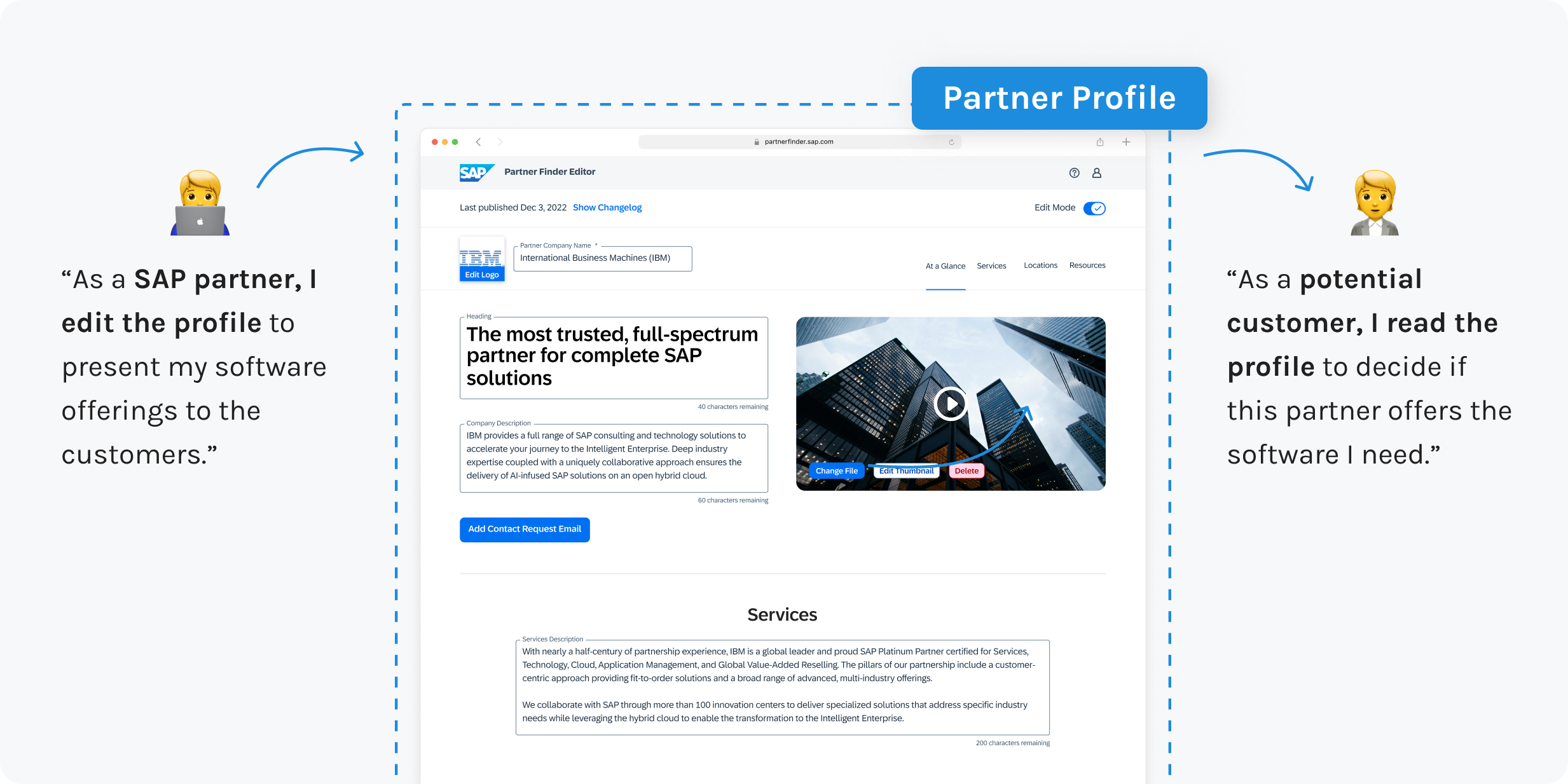
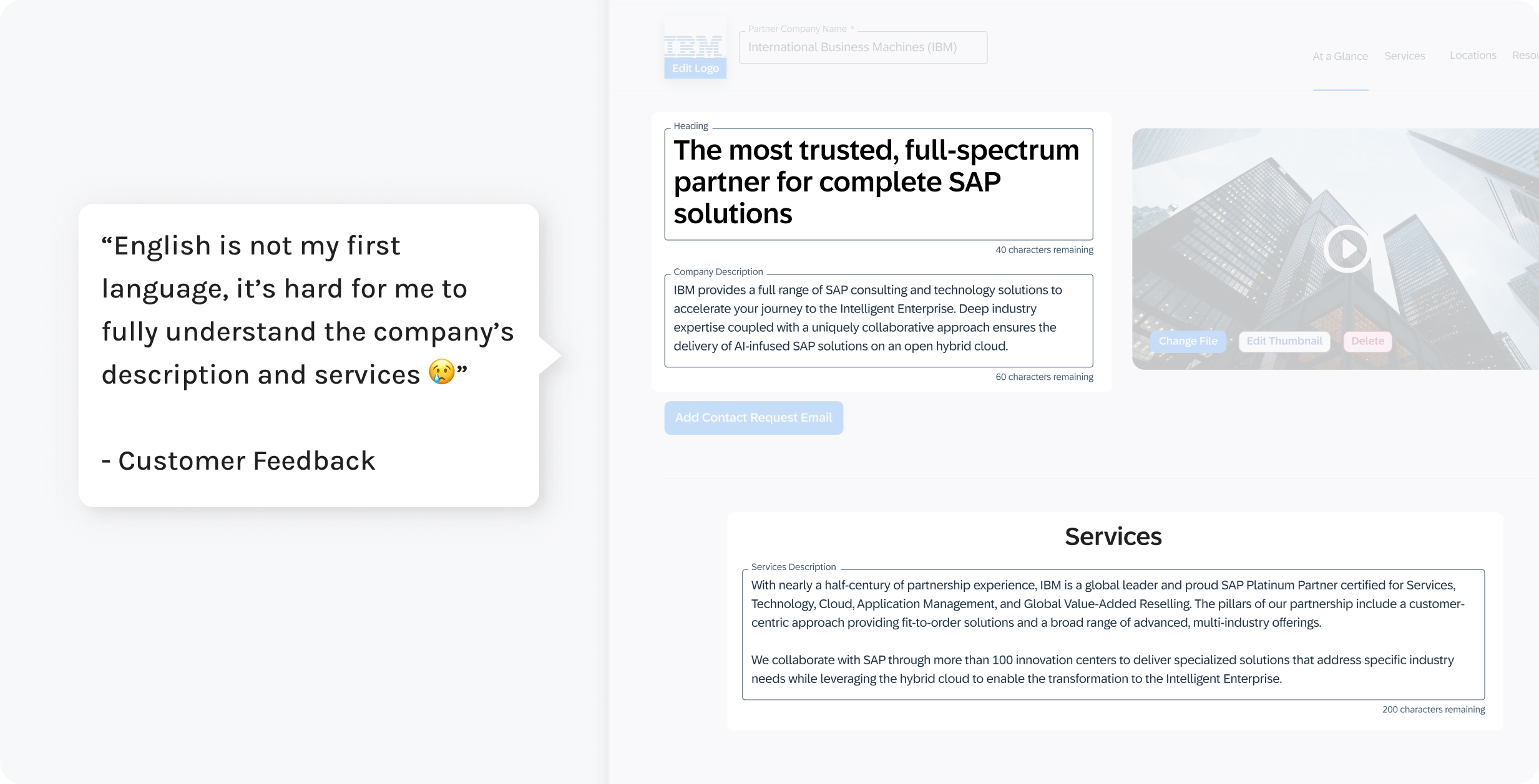
42% of visitors face difficulty reading Partner Profiles since their first language is not English, leading to ineffective communication of SAP partners' services and impeding SAP's goal of expanding the global partner ecosystem.
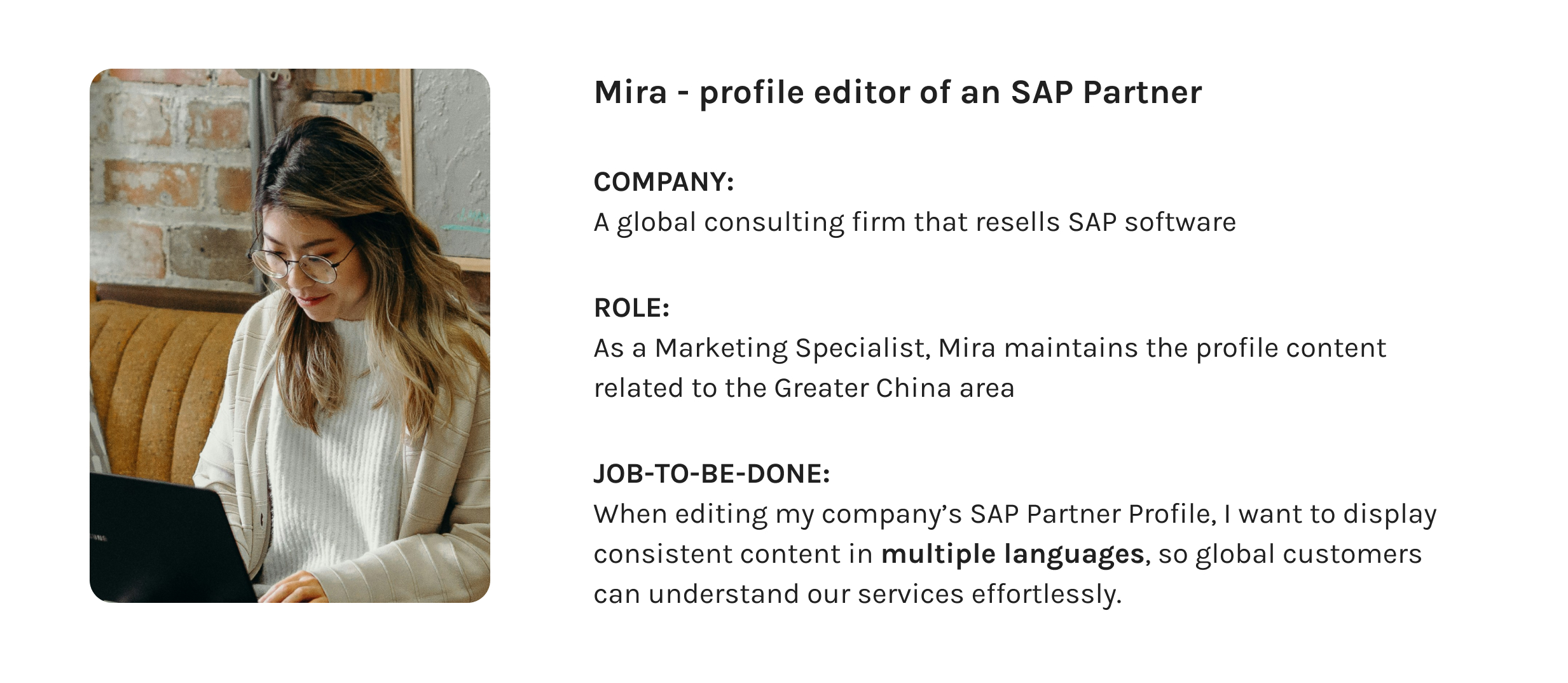
With the previous research data provided by the team, I familiarized myself with the archetype of the users who edit the SAP Partner Profile and concluded their need for translation.
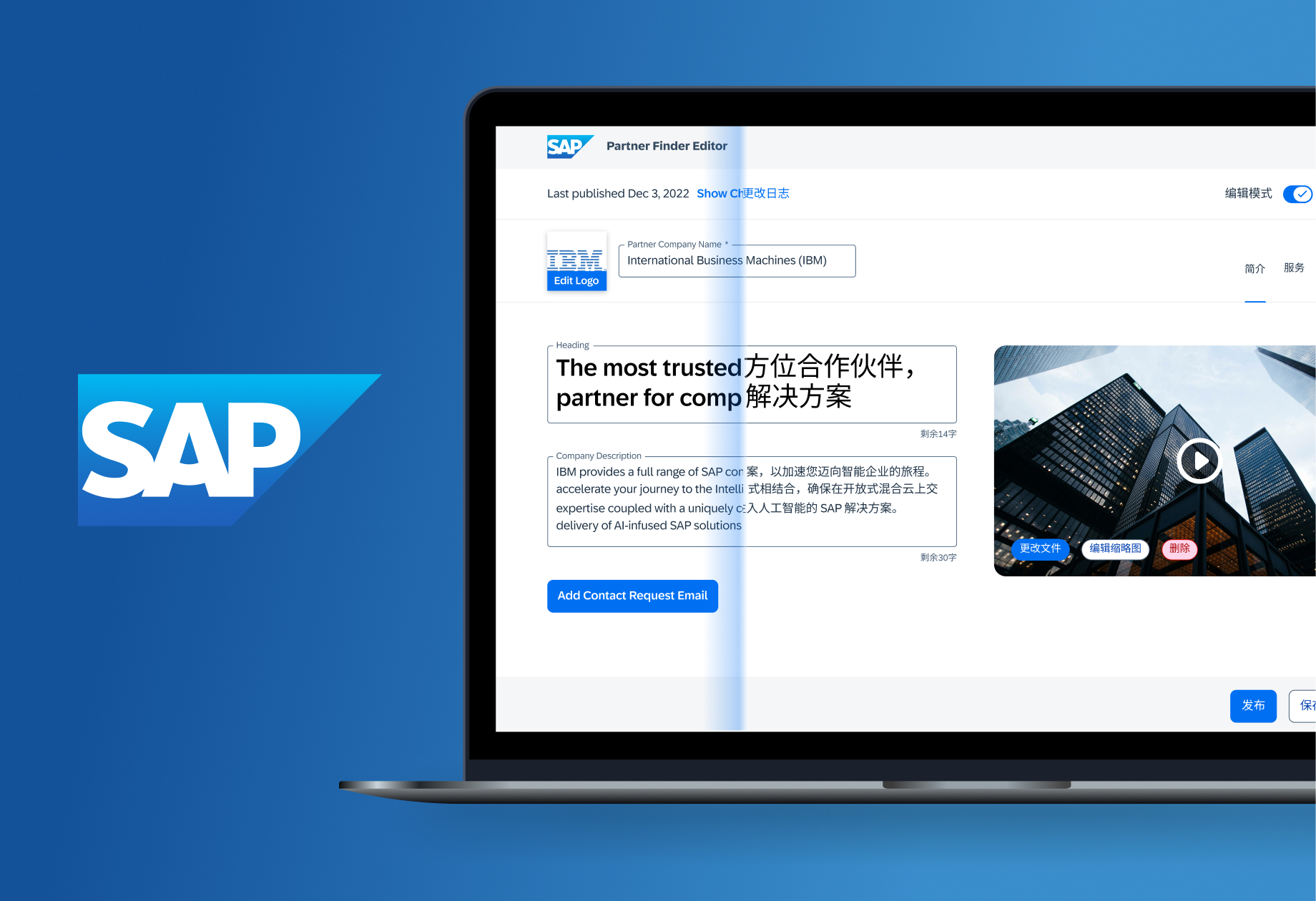
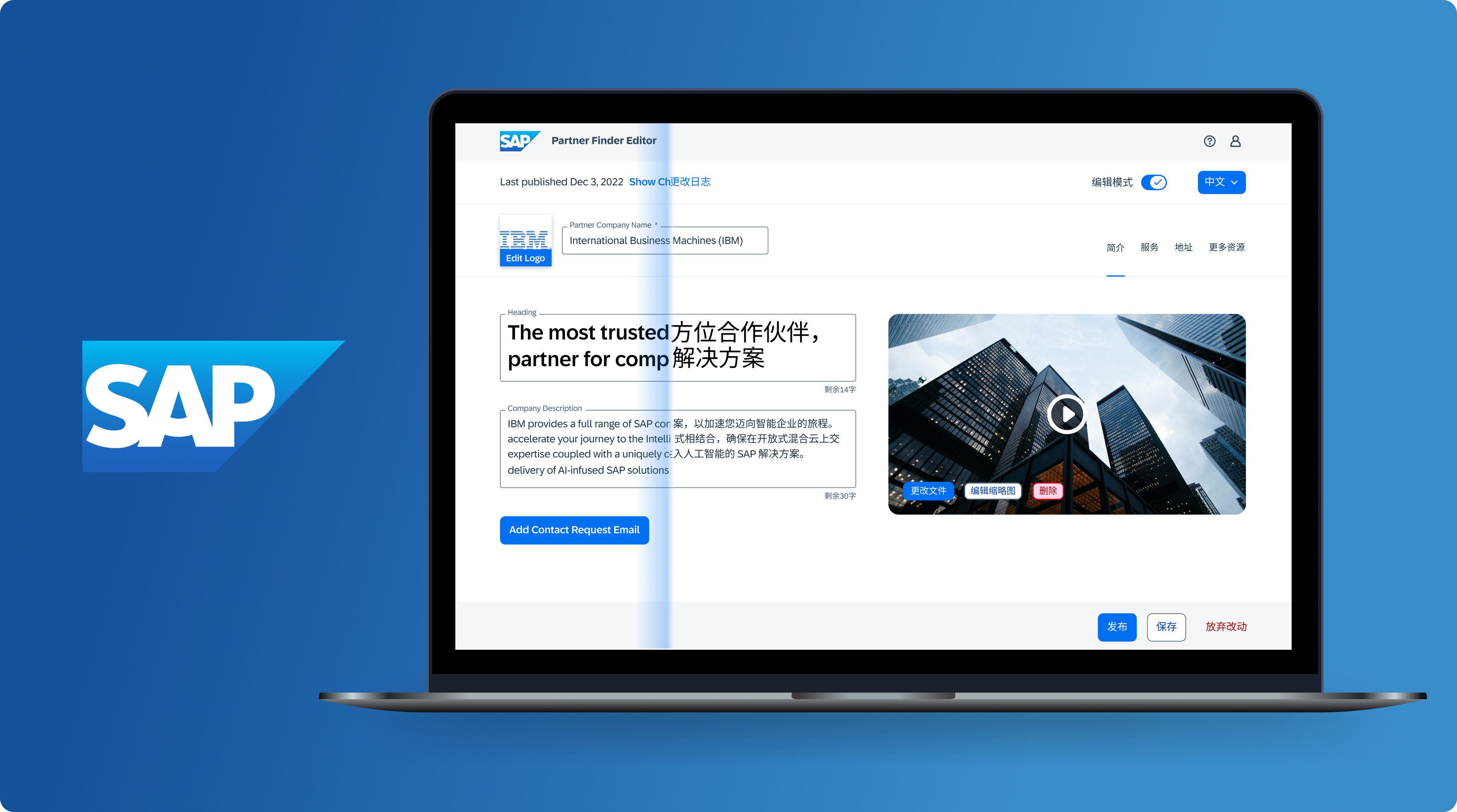
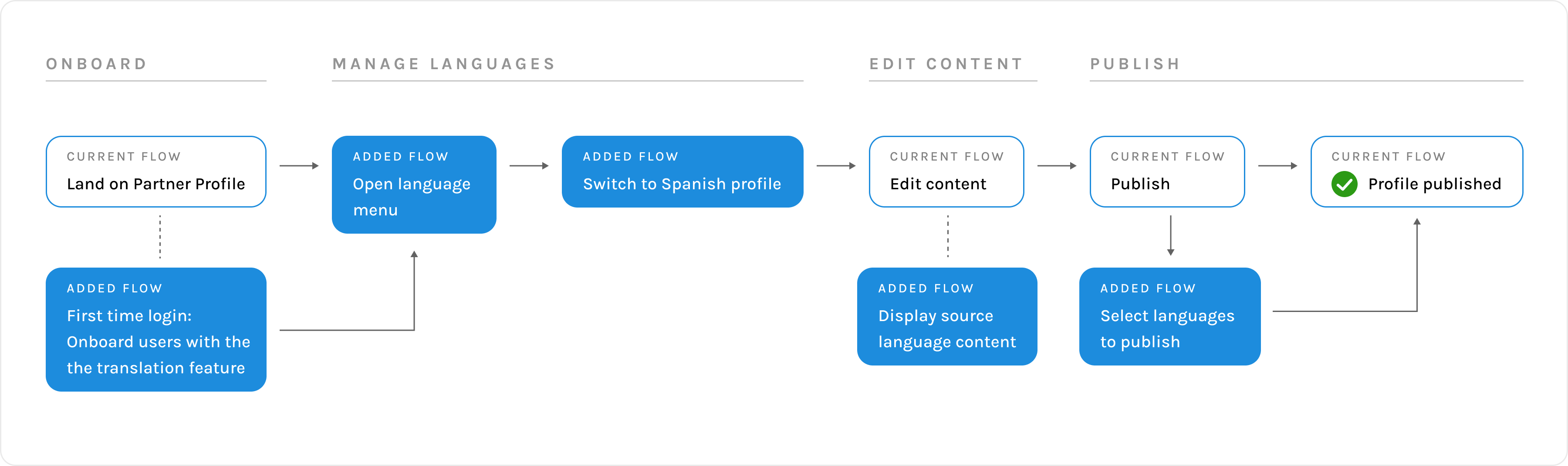
With user insights, I integrated translation into the current editing workflow and iterated based on the Agile team’s feedback. Here, let’s focus on 2 major design challenges: manage multiple languages and facilitate the content editing.
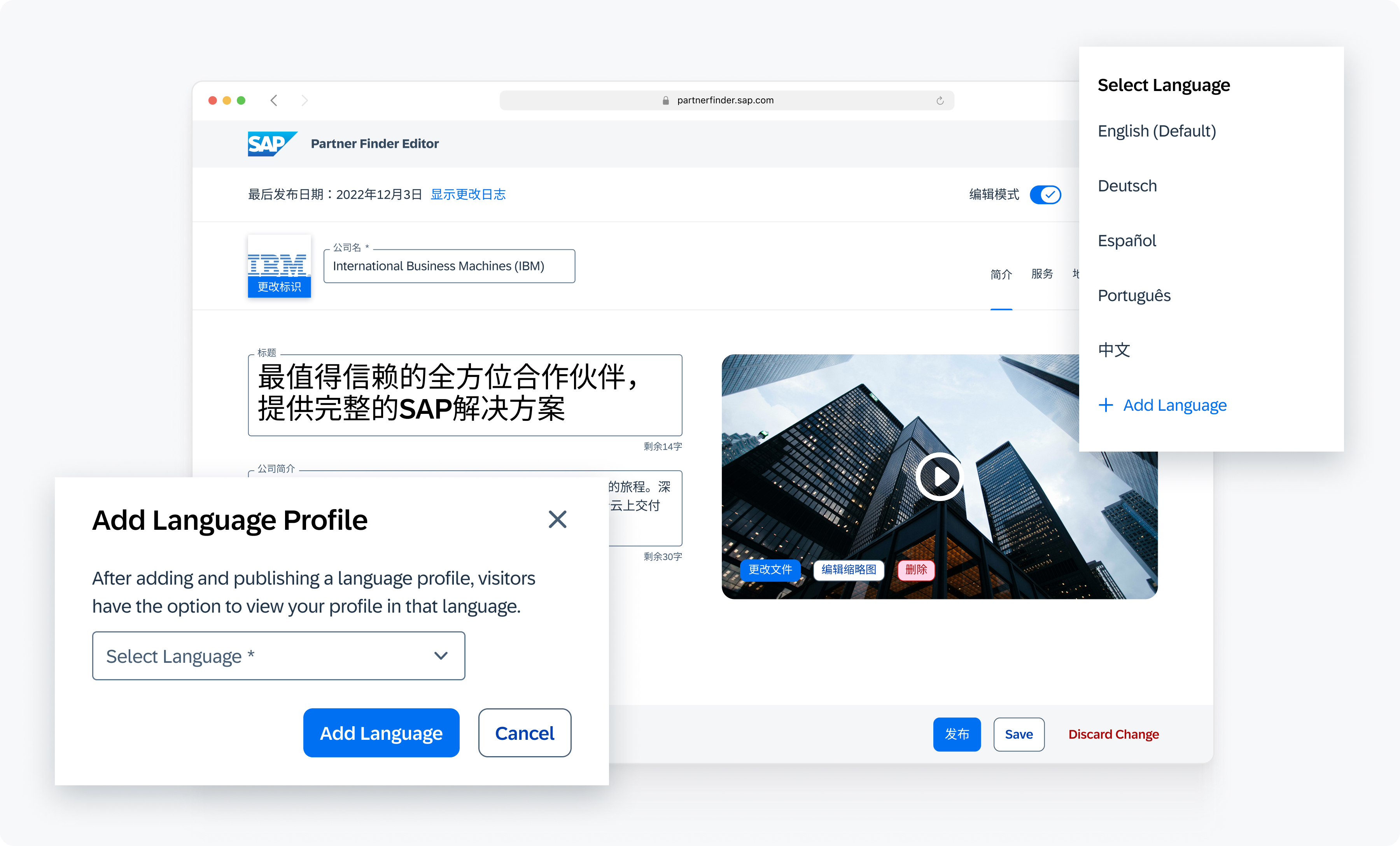
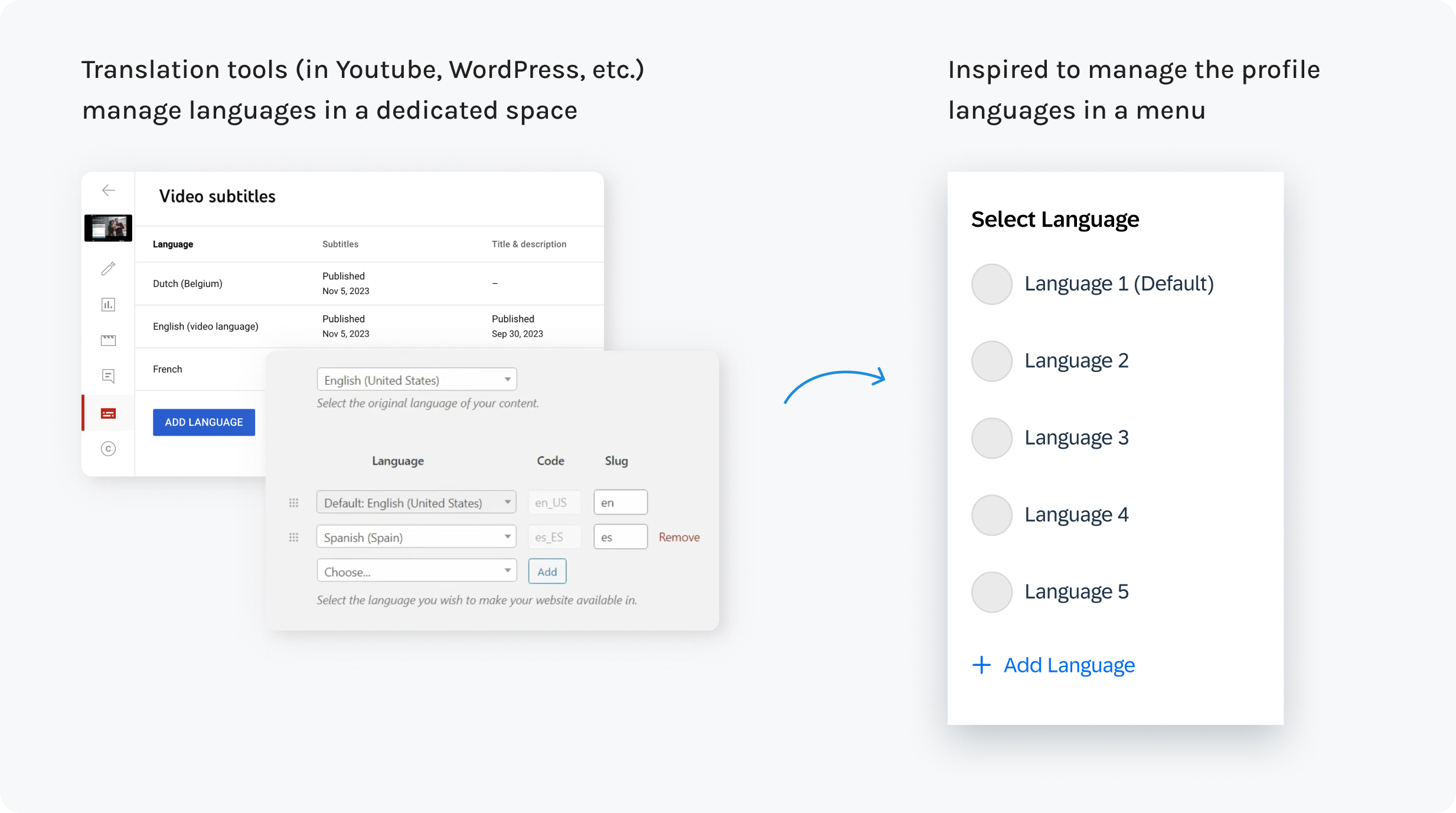
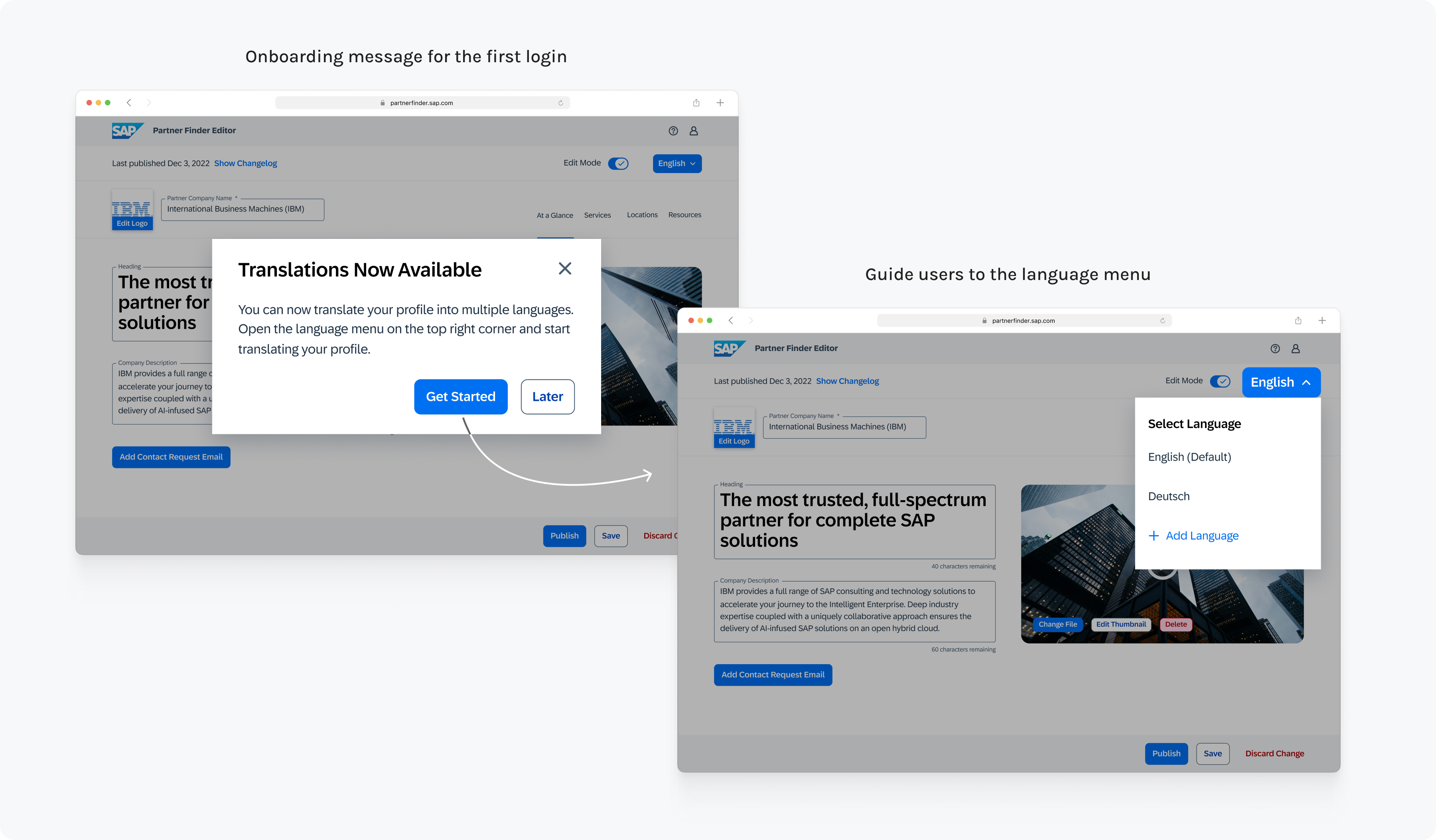
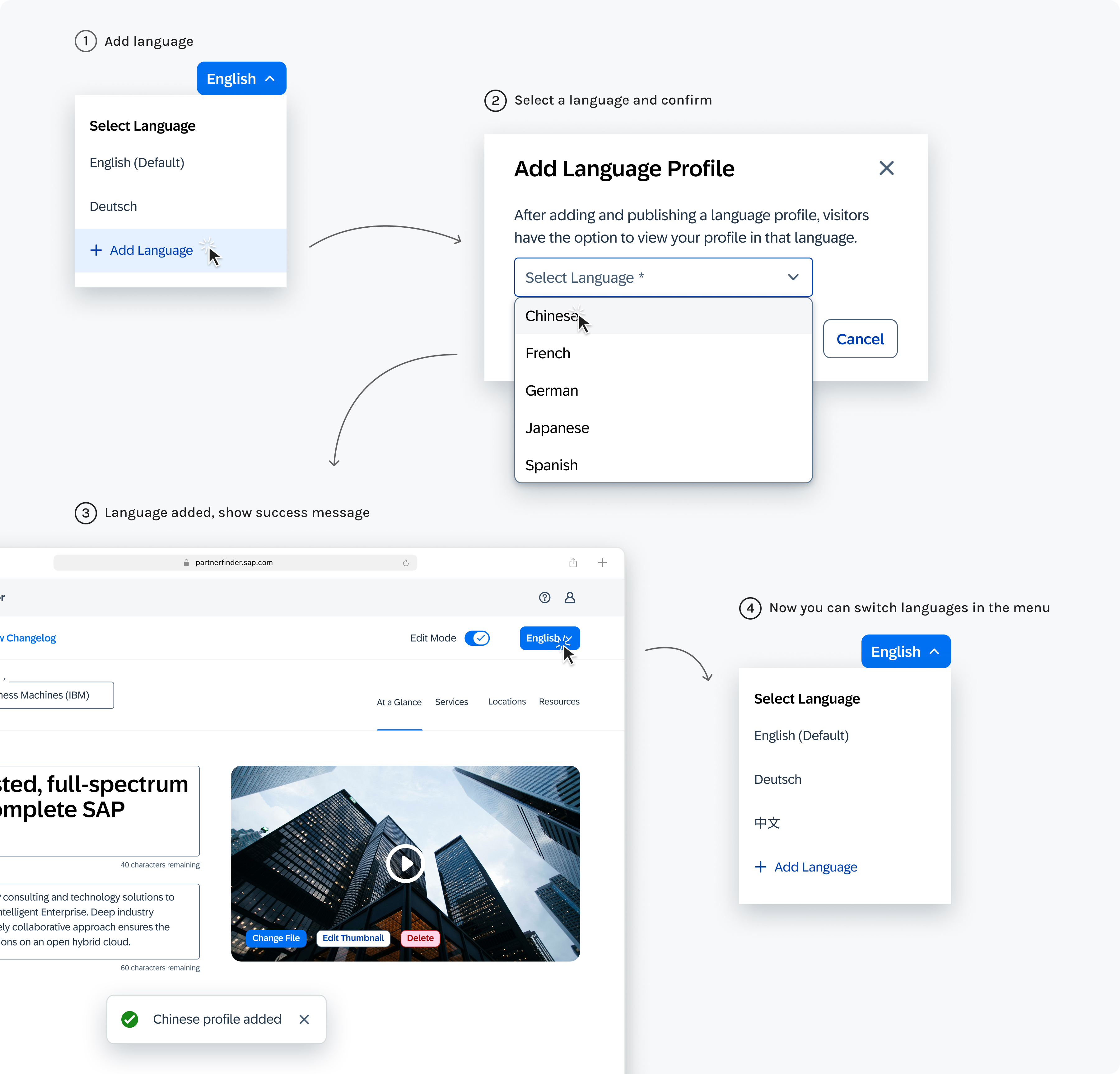
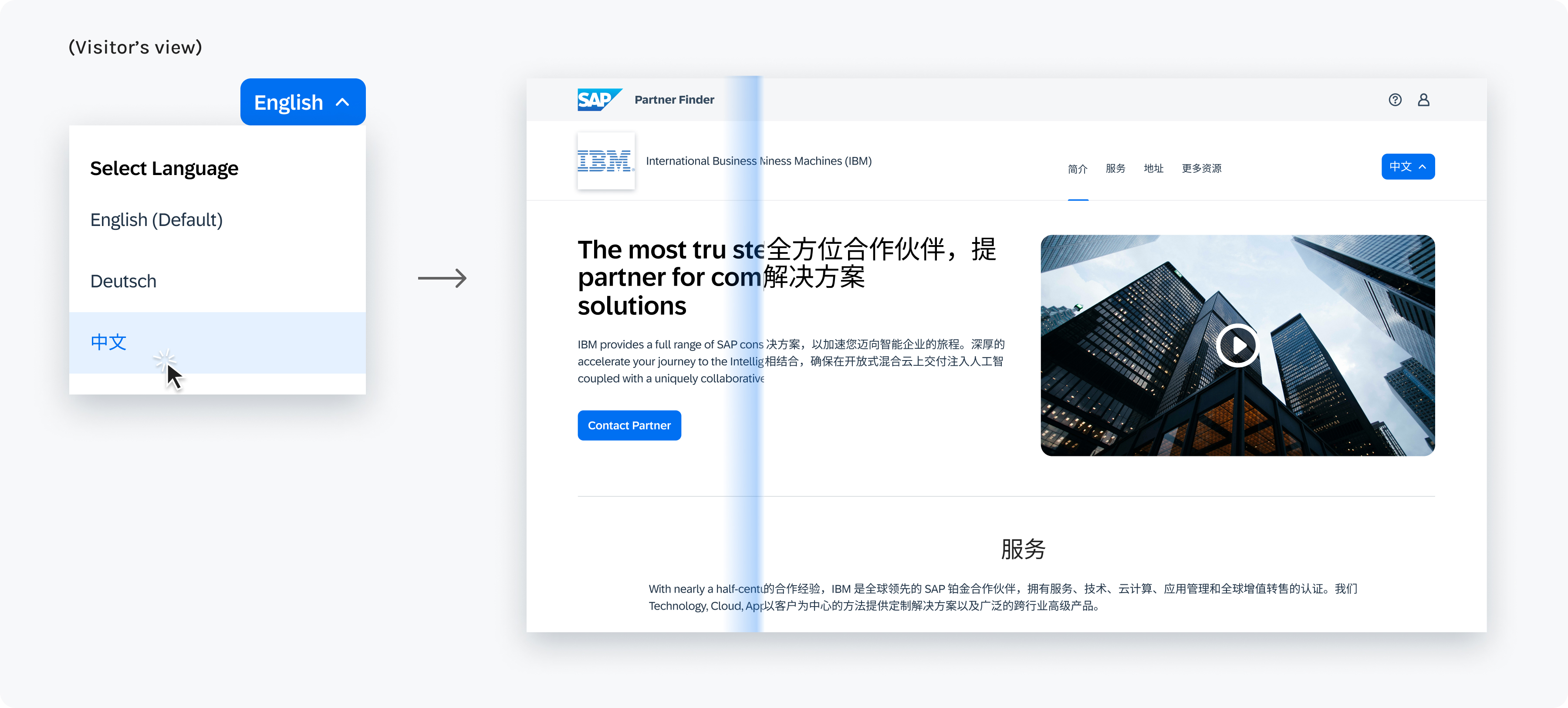
Despite having no access to B2B competitors, I studied translation features in other content tools (YouTube, WordPress, etc.) to get inspiration on how to structure different language profiles. With this insight, I designed a language menu that manages and accesses all languages.
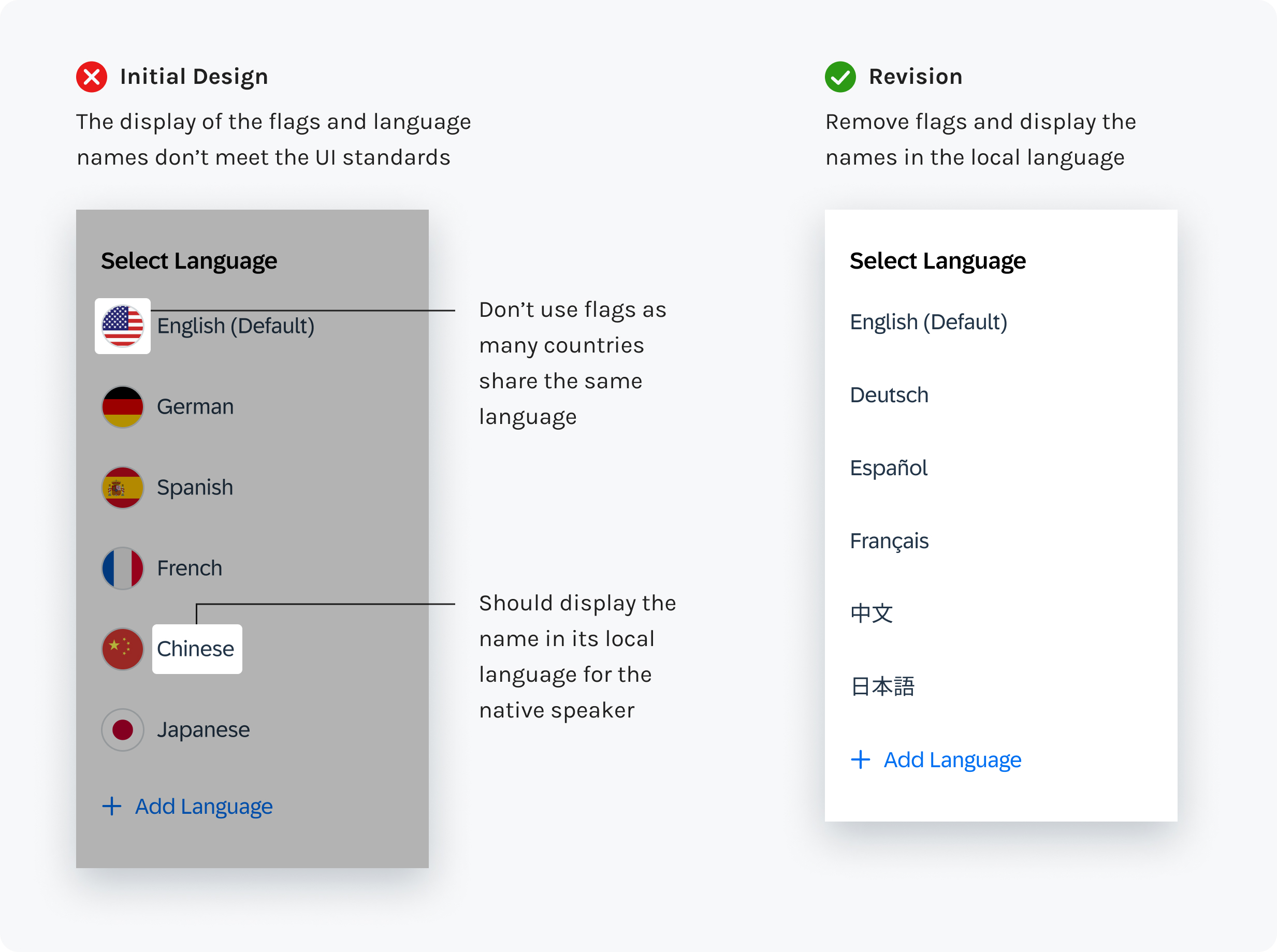
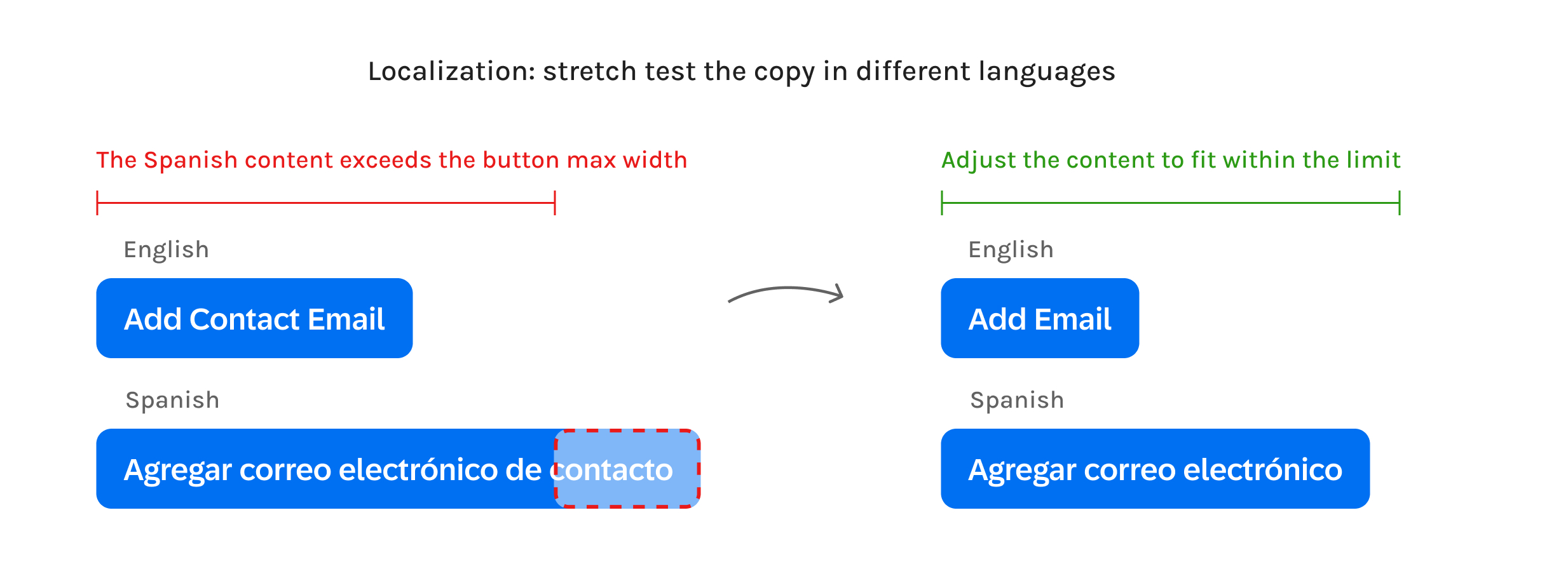
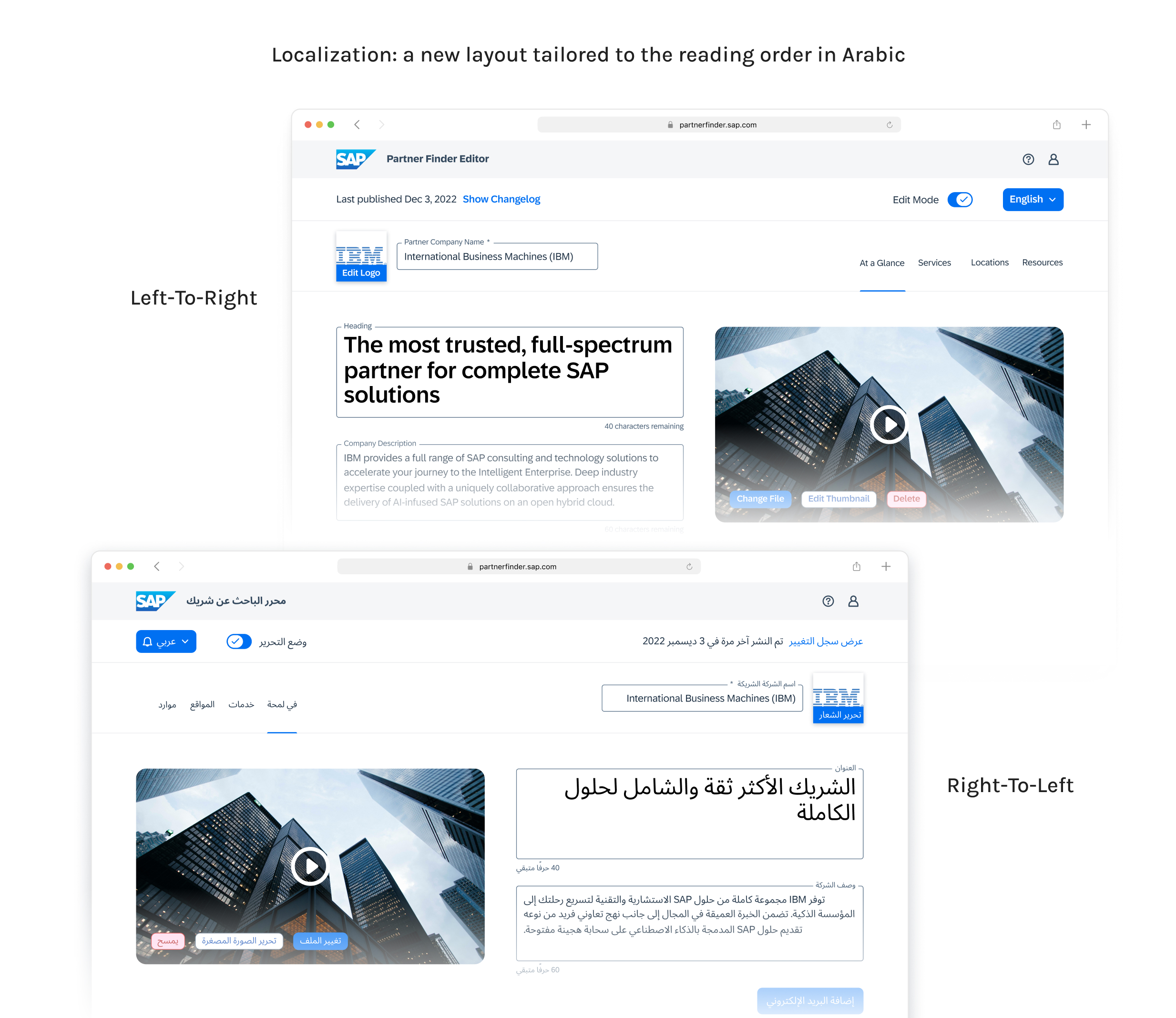
During the design reviews, I received constructive feedback that prompted me to correct several UI issues related to localization, which further enhanced the usability for global users.
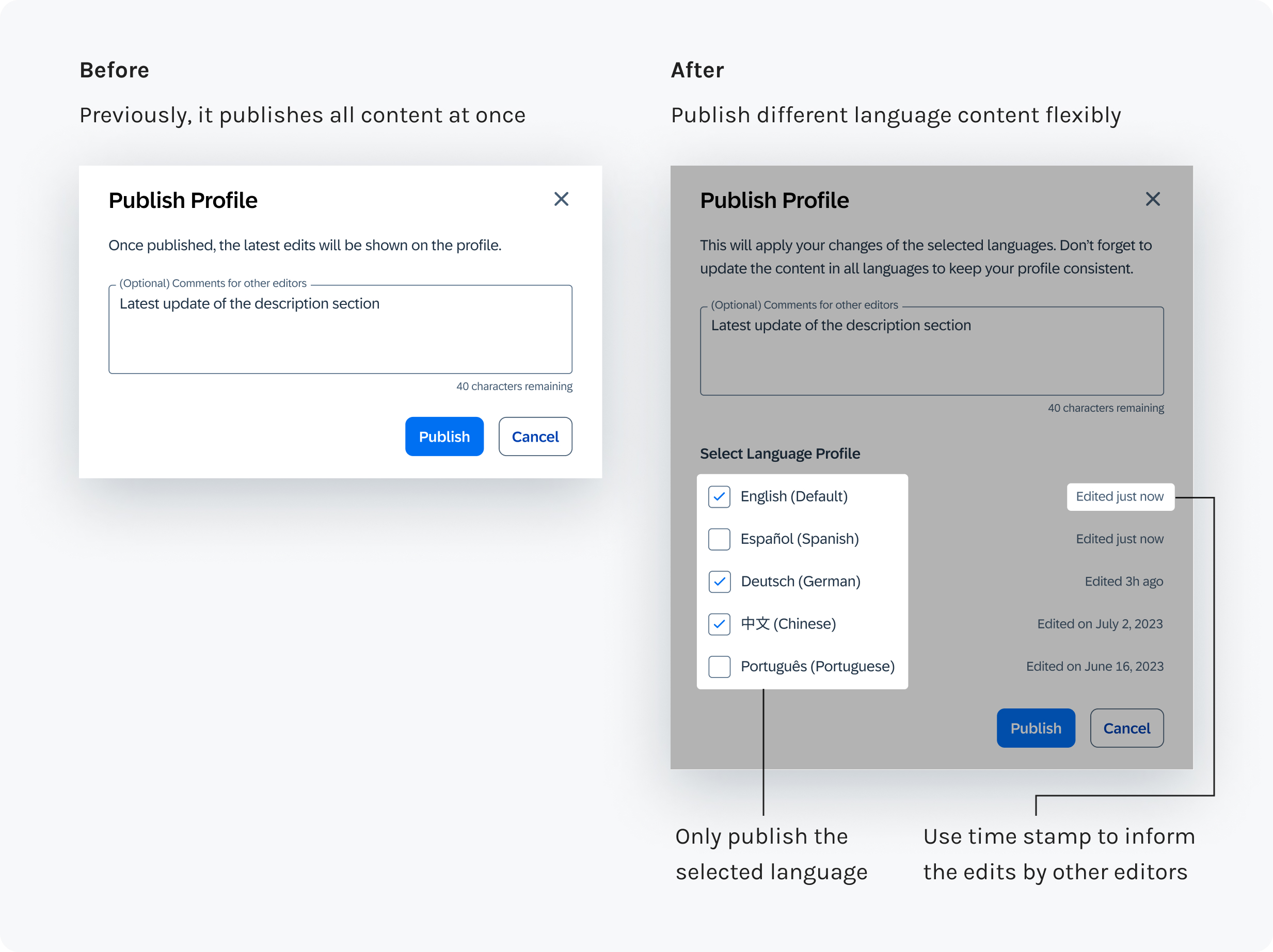
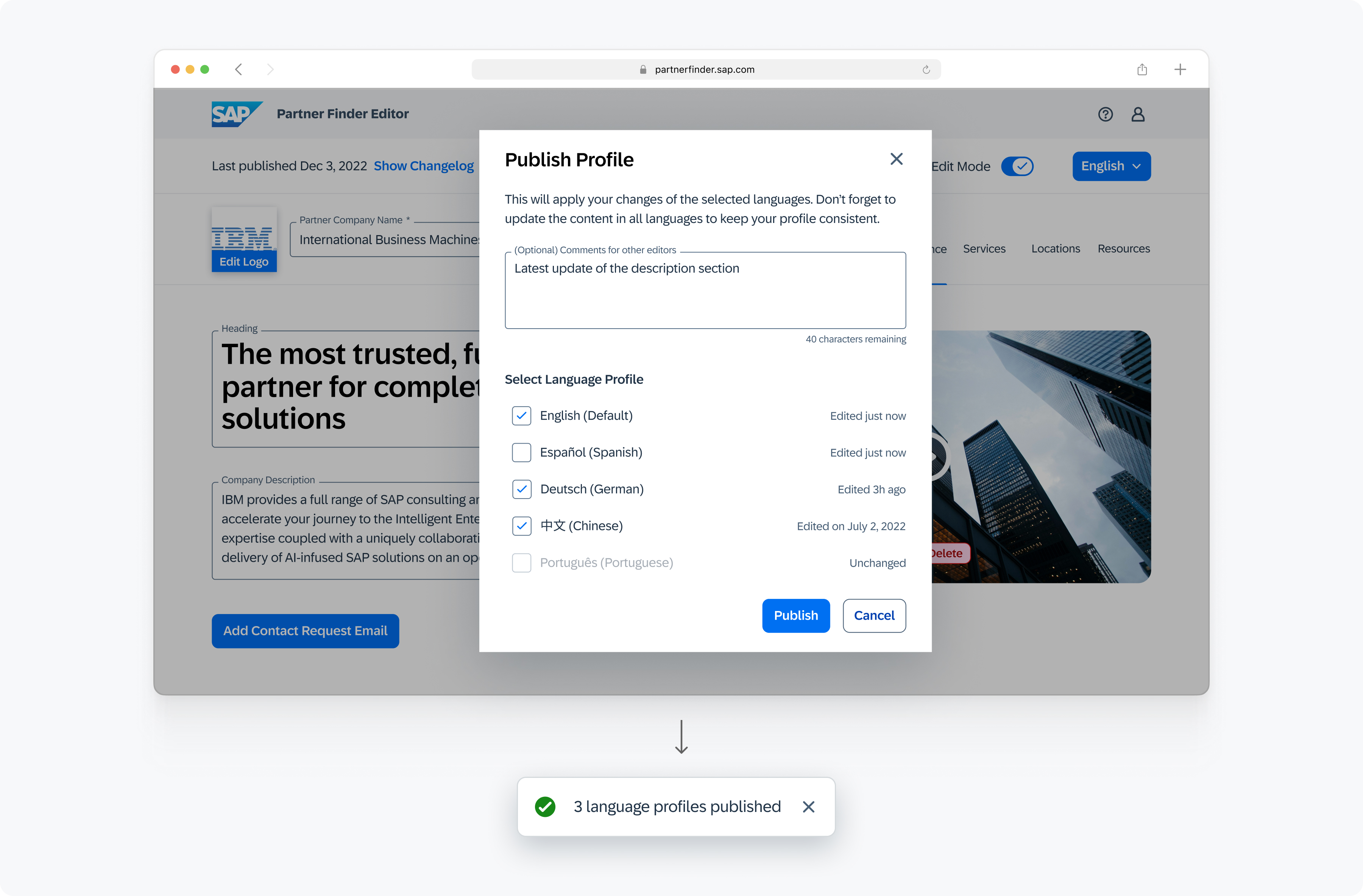
The research revealed that multiple editors may contribute to the same Partner Profile. Tailored to the co-edit experience, I adapted the existing publishing workflow for the flexibility to select which languages the user wants to publish.
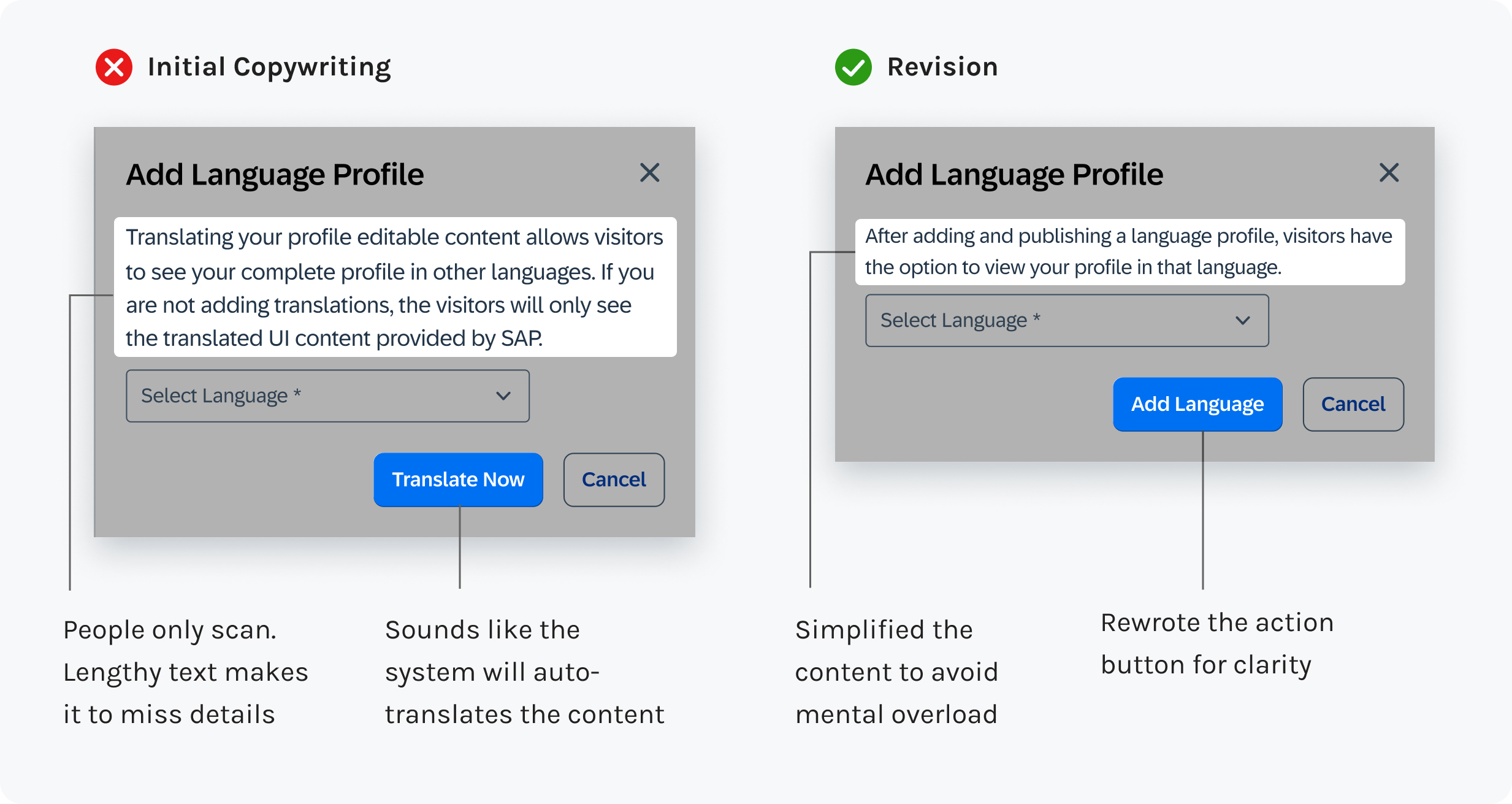
During usability testing, it was surprising that most participants struggled with understanding the system status because the UI text I wrote was unclear.
Therefore, I revisited SAP copywriting guidelines and iterated the text to enhance the clarity. Also, the complex terms were simplified for an accessible reading experience for global audience.
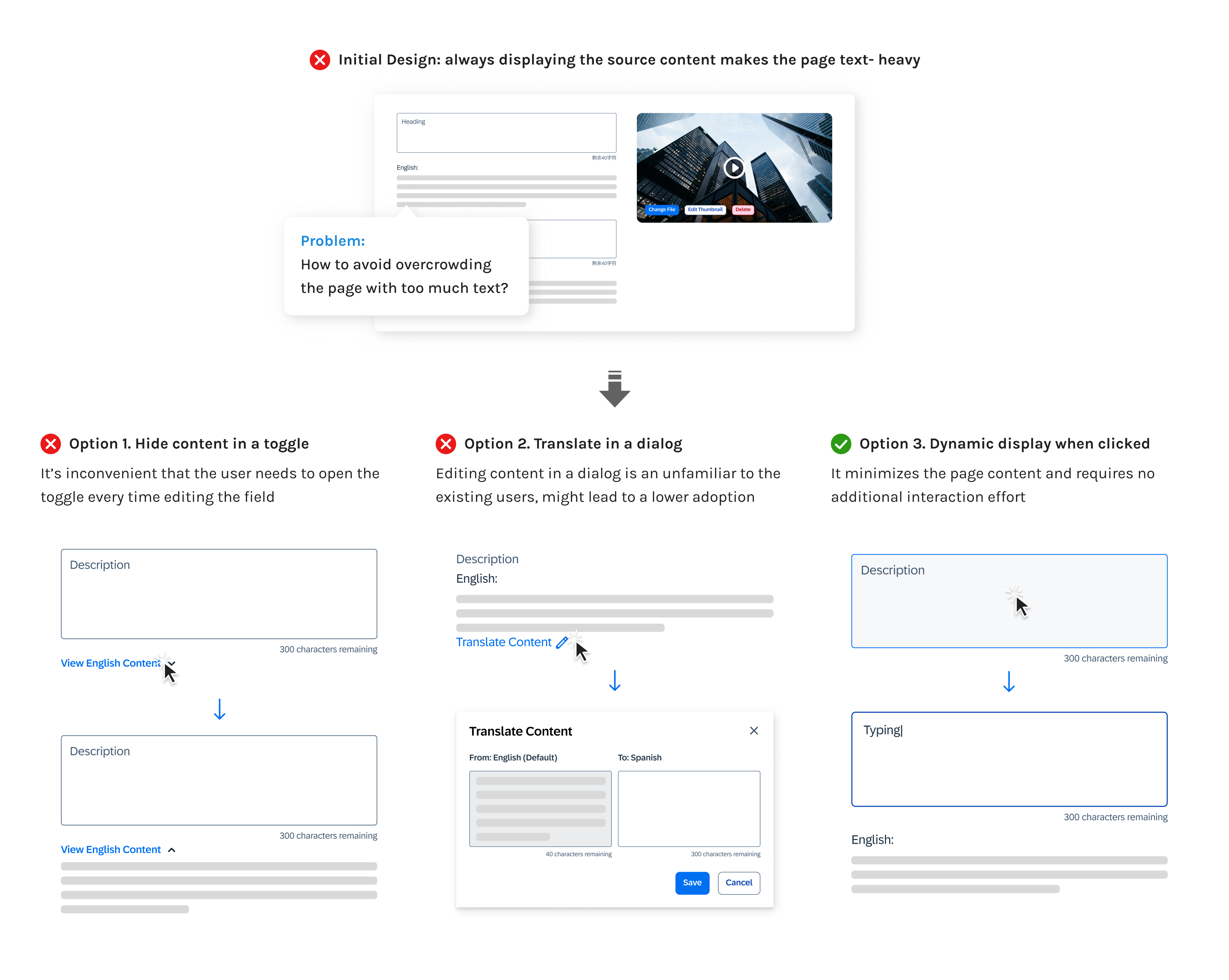
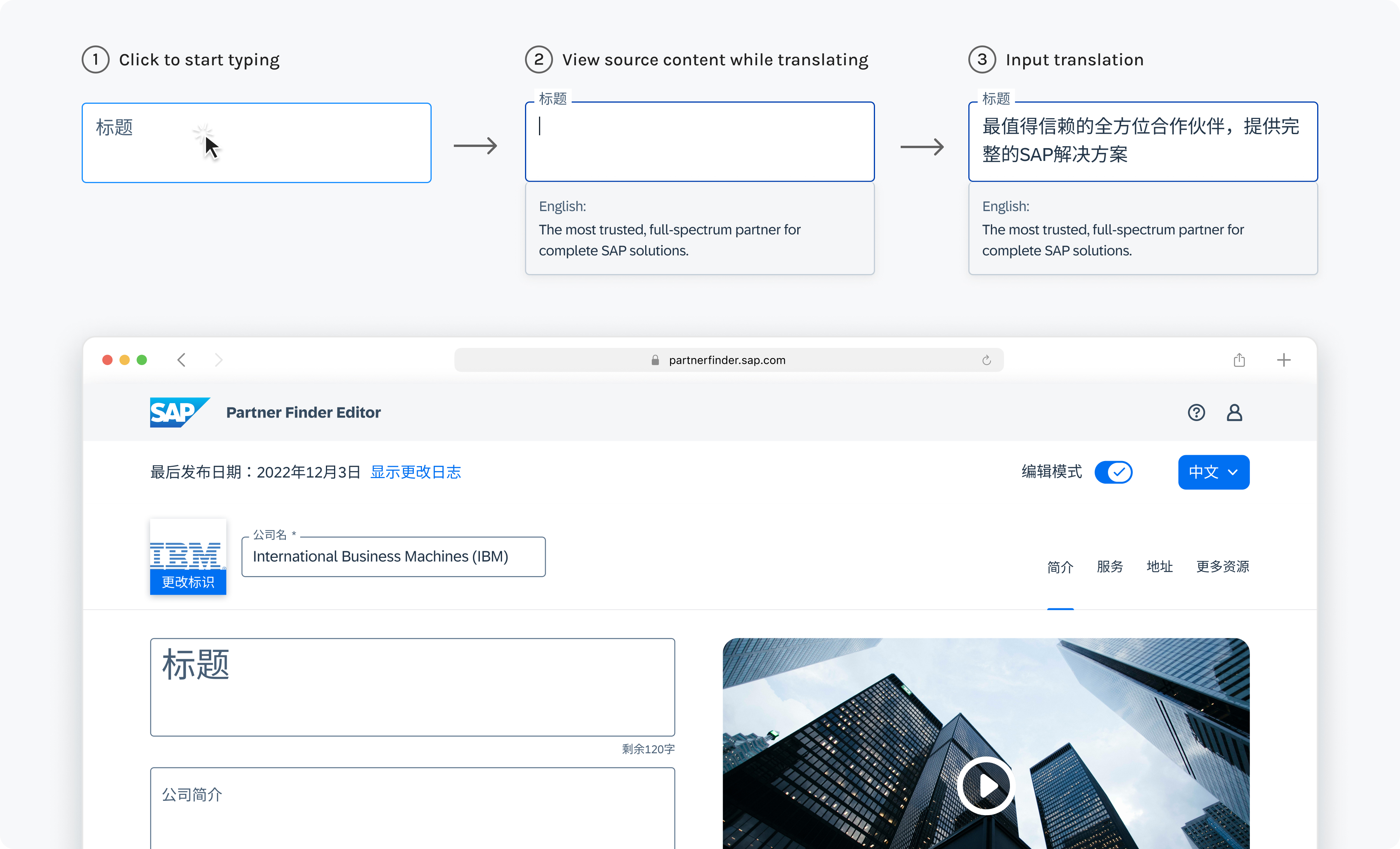
One common pattern I learned from the precedents is to display the source language to support translation. However, the lengthy content makes the page text-heavy. To address this issue, I explored concepts of dynamic display to avoid overloading the users with excessive information.
The work doesn’t stop with translation. I've also tailored the content length and adjusted the UI layout to accommodate the preferences of different language audiences.
Due to a shift in the team's priorities, the implementation has been postponed until later 2024. Upon resuming, I will conduct the second round of usability testing to validate the latest iteration.
To gauge the impact after feature launch, I will measure the feature adoption by tracking how many SAP partners have added additional languages to their profile.